 Team CheqSoft - 2020-03-11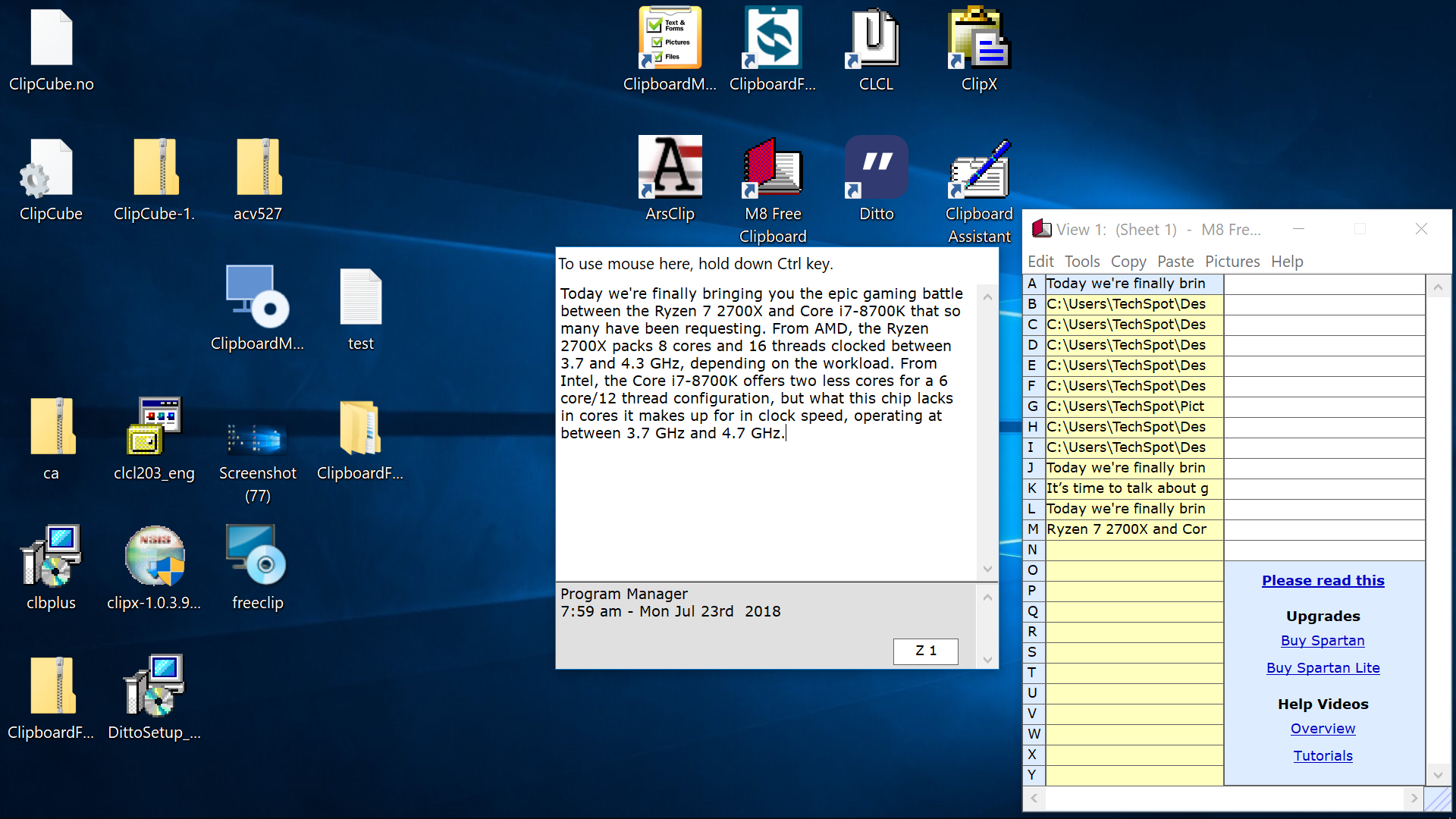
Powerful system tray drag n drop database software
Stores multiple clipboard items.
Once used you won’t be without!
The Clipboard Toolbox
Easy filling in forms with names, addresses, E-mails, etc.
Just Drag n Drop in or out!
Saves mental energy! Why type again and again? Enhances productivity!
Customer Testimonials
Customers tell us things like:
“Your program is excellent and is the best clipboard store that I have found!”
“I love the product. It makes my job SOOOOO much easier. You guys rock!”
I just wanted to say thank-you, thank-you, thank-you! i would really hate my job if i had not been shown how your clipboard express could help me save time doing repetitive copy and pasting. sincerely, Debbie
“Clipboard Express Pro is a great program. I’m glad I stumbled on to it in a newspaper article. I’ve been looking for something like this for years. Keep up the good work.”
“WOW! I know that all caps is shouting but your company deserves a heart felt thank you! I just d/l the free version of clipboard express and have already started to save time! I can’t thank you enough. Friends and I have talked about trying to find a product like this for sometime. I will be spreading the word about your software, this product it is so useful!”
“The Best Software We’ve Ever Found” (Software review columnist)
“Your ad is quite right. “Once you’ve used it, try doing without it” :)” Noel Grivas, Australia
“Saves time and eliminates repetitive entrys. I use it to fill our all kinds of applications; store various userids, passwords, URLs, email addresses, etc.. One of my most useful utiliies, my thanks for a great product, user friendly design, & fair price. Will tell family and friends about it.” March 3 2005
“THANK YOU!! It worked perfectly after following your instructions. You have been very patient and the best software company I’ve encountered (not to mention the great program that I am so enjoying again!). I will recommend you to anyone that needs your programs and I thank you for everything.” Mari Lerchenfeldt, USA, May 18 2005
“This is one of my most valuable programs and I don’t want to go a day without it. It saves me tons of time and typing ” USA, June 9 2005.
“What do I use it for?? ALL my information is there.. every credit card, address, number, etc. I do most of my shopping on line and I hate filling out forms. I also keep all my numbers for bank accounts, trusts, social security numbers for our children, license numbers,,,, each in their own category …all of our financial stuff.. stock certificates… numbers numbers, numbers. I keep pictures there I am sending out so all I have to do is access them through CEP. I love it.. one large cupboard of information!” USA, June 19 2005
“I installed the new version of Clipboard Express Pro with no problem! It Works GREAT!!! Created ½ dozens files so far. It just keeps getting better and better. I now have unlimited memory stacks to organize my data variables as I choose. I’ve been in the computing business for 30+ years and believe you have a world class product with this latest version of Clipboard Express Pro. Thanks for all your support and special attention to suggestions.” USA, June 22 2005
“Brilliant software and even more brilliant service. Thanks” March 2003 UK Customer on July 3 2005.
“WOW! That is the best description of your prompt response to my email and also describes ClipBoard Express Pro as far as I’m concerned. The link you sent me worked fine and my ClipBoard Express Pro is up and running again. I’ve missed it. I’ve tried other clipboard programs but yours is the most intuitive and best I’ve used.
I have no compunctions recommending your product and recommend it as the occasion arises. Thank you for a great utility and equally great service. I am re familiarizing myself with all the features that ClipBoard Express Pro has to offer… The Word document “Experience Clipboard Express Pro”, that you make available on your webpage, is excellent and I’d recommend to everyone that they try each of the steps indicated therein to become fully aware of the programs outstanding capabilities.
Once again my fondest regards to you and your team.” Howard M. Levy, USA, July 9 2005
“Thank You. What a terrific piece of software! It is intuitive, easy and incredibly powerful.” Rick, USA, November 4 2005.
The above comments are indicative. We initially wrote Clipboard Express Pro for our in house use, we are absolutely delighted how much others enjoy it too.
Clipboard Express Pro is ergonomically designed with medical design supervision from Dr David Hingston.
A good user group example is ISP’s around the World who use Clipboard Express Pro to store the answers to questions their support departments are repeatedly asked by email. They simply drag and drop their responses into their return email, review it and click send!
Use Examples
- Storing and pasting Boiler plate text
- Noting thoughts
- Remembering text
- Personal Database
- Contacts – addresses, phone numbers, emails, web sites, formulas, signature text..
- Filling in on line forms
- Managing CV’s off and online
- Organizing information
- Lobbying
- Keep lists of loaned books, CD’s, DVD’s, cars….
- Notes
- Storing often used text like…
- Fantastic for “To do” lists
- Messages to hold and refer back to (ICQ, E-mail…, from your matches on dating sites)
- PAD files – Brilliant for writing and editing
- Makes counting digits and characters a breeze (See the pictures on this page)
- Drafting messages or emails
- Making notes of numbers, prices, features…
- When doing calculations.. storing numbers and formulas
- Temporary storage when reformatting word documents
- Storing excel formulas while doing trials.
- Storing nude pictures and other private photo albums
- Capture ideas at time of their thought
- Storing ‘print screen’ pictures – recovering later.
- Reducing repetitive typing!!!
- You name it… you can probably use it for it!
Use Examples
- Storing and pasting Boiler plate text
- Noting thoughts
- Remembering text
- Personal Database
- Contacts – addresses, phone numbers, emails, web sites, formulas, signature text..
- Filling in on line forms
- Managing CV’s off and online
- Organizing information
- Lobbying
- Keep lists of loaned books, CD’s, DVD’s, cars….
- Notes
- Storing often used text like…
- Fantastic for “To do” lists
- Messages to hold and refer back to (ICQ, E-mail…)
- PAD files – Brilliant for writing and editing
- Makes counting digits and characters a breeze (See the pictures on this page)
- Drafting messages or emails
- Making notes of numbers, prices, features…
- When doing calculations.. storing numbers and formulas
- Temporary storage when reformatting word documents
- Storing excel formulas while doing trials.
- Storing pictures
- Capture ideas at time of their thought
- Storing ‘print screen’ pictures – recovering later.
- Reducing repetitive typing!!!
- You name it… you can probably use it for it!
User Group Examples
- ISP Support Staff
- Technical support
- Help Desks
- Product support
These people are repeatedly asked similar questions. With Clipboard Express Pro they simply paste the answer into email replies, review and send. Saves time!
Answers may be refined over time and saved for next time. This becomes a powerful system for continuous quality improvement of communications. Improves communication.
- Software Developers
- Programmers
Store code snippets, functions etc for easy classification and retrieval. Saves time!
- Internet Marketers
Easily save and open web pages, registering software on internet search engines and download sites can repeatedly access those sites. Counts clip character length automatically for PAD file writing etc. Saves time! Increases productivity!
- Data entry
- Application Processing
Paste or drag repeated phrases, paragraphs – no need to type the same thing twice! Saves time! Reduces mundane, minimizes boredom!
- Typing Error Correction
Keyboard typists (as opposed to trained screen typists) inadvertently pressing the caps lock key can quickly convert long phrases back to opposite caps with Clipboard Express Pro. Saves time and mental anguish!
- Political Lobbyists
Lobby by sending the same material to many different people. Clipboard Express Pro makes this easy by dragging and dropping your message into as many emails as you wish!Use common structures phrases and paragraphs. Save time by rapidly dragging or copy and pasting this repeated information into your documents. Start with the same skeletal structure. Save time!
- Purchasers and web shoppers
Store web addresses for easy opening, product information, credit card information etc for dragging into web pages. No need to find and type the credit card numbers again! Saves time!
- Designers
- Engineers
Note ideas at time of first thought. Quickly note these in Clipboard Express Pro for later recall and implementation.
- Web surfers
Go back to saved web pages. One click can open the saved URL in a new browser window! Also open a set of URL’s at start, logon or reboot!
- Doctors
Rapid data entry, standard disclaimers, general information, standard medical examination text templates – checklists, and quality control into medical reports, letters, notes and documentation.
- Medical Lecturers
Case data presentation – students request certain data that is copied out for display during presentations Save your clauses and paragraphs, disclaimers, etc. Form documents by dragging and dropping in the appropriate components for easy trust and other legal and report document formation.
Used to save order information, between orders and come back to reference numbers that might be otherwise forgotten with the inevitable urgent order interruptions. Enhances productivity!!
- Information Standardization
- Government Departments
Used to save and standardize information amongst a number of staff. Enhances accuracy and therefore productivity!!
- General PC Users
- Thought capture when busy – come back to later – maximizes thought retention
- To Do Lists
- Cut and paste
- Drag and drop
- Temporary storage
- View Clipboard Contents
- Count Clipboard digit numbers
- Open the same set of programs at time of logon or PC boot.
- List management
- Boilerplate text management
Capture To Do’s as they occur to you and store them in Clipboard Express Pro. Reduce RSI risks by typing it only once! Ergonomically designed. Retrieve clips with the mouse or with function keys. Position the drag, copy and paste icons on the left or right of the window as you want them. Drag the form size to suit.
How could you use Clipboard Express Pro?
Features
- Cut and Paste by button, right-click or direct text entry
- Copy contents by button, right-click or drag n drop
- Clipboard contents displayed, even without the focus
- Drag and drop to compliant applications – fantastic!!
- Drag and drop to on-line forms(no re-typing)
- Includes 2 scrollable storage spaces
- Carriage returns supported
- Clipboard field continually displays clipboard contents for easy reference
- Counts clip size quickly and automatically
- Brilliant for editing PAD files – easy to check character counts
- Compare clip counts rapidly with paste clicks to clipboard
- Toggle and drag program variable width
- Mirror function to ensure drag icons ergonomically easy
- Temporary or Permanent storage
- Launch your browser directly to any web addresses you have stored
- IP Address checking
- Easy access from the system tray (next to the clock)
- Full system tray (by the clock) copy/paste function
- Auto run option from start-up
- Each store holds up to 32,000 characters
- 150 storage locations per file
- Save and retrieve multiple files – unlimited store numbers now possible
- Transfer data files betweens pc’s
- Easy Navigation between stores
- Rigid user interface structure that is always the same
- HotKeys and Mouse support
- Ctrl – Alt or Ctrl Shift Hot Call Recall from System Tray
- Each store supports carriage returns (multi-line strings)
- Titles for each page of stores
- Print options
- 10 picture stores additionally
- BMP conversion of files from clipboard pictures
- Drag in pictures directly from the web
- Case Conversion of clipboard to lower, upper or reverse case
- Caps Lock fix (great when accidentally pressed Caps lock)
- Multi-user capable
- Per-user Licensing
- Design Elegance as featured in all CheqSoft products
- More productive workplaces (reported)
- Users tell us they love it!!
Corporates
- Powerful productivity increases
- Licenses required in all cases
- Featured in many ISP Support Departments
- Clipboard Express has been known to improve productivity over 300%
- Application Processing
- Out Post modem linked processing staff
- Order Processing
- Warehousing staff
- Writers
- Journalists
- Recruiters
- Report writers
- CV writers
- Lawyers
- Accountants
- Valuers
- Chiropractors
- Dentists
- Professionals
Licensing
Please download and install Clipboard Express . Please run Clipboard Express and follow the directions to purchase your license, if you have not already done so.
Clipboard Express Economy and Annual License options are available for purchase. Further information is detailed on our FAQ page. The purchase of licenses is required to contribute to the significant development costs of our software.
Multiple user license discounts are available. Please visit the purchase page for details or please Email us with your requirements.
Free revision upgrades are available to eligible licensed users.
Please note the pictures shown on this page are indicative only and may change over time in line with our continuous improvement resulting from the synergy we create with our users.
Please note some web sites may link here and suggest this software is freeware. That is not the case.

Comments are closed, but trackbacks and pingbacks are open.